Docker Containerization for Python Django Application
👋 Hello! I'm passionate about DevOps and have over 1+ years of experience in the field. I'm proficient in a variety of cutting-edge technologies and always motivated to expand my knowledge and skills. Let's connect and grow together!
SKILLS:
🔹 Languages & Runtimes: Python, Shell Scripting, HCL, YAML 🔹 Cloud Technologies: AWS, Microsoft Azure, GCP 🔹 Infrastructure Tools: Docker, Terraform, AWS CloudFormation 🔹 Other Tools: Linux, Git and GitHub Actions, Jenkins, Jira, GitLab (beginner), Docker, AWS DevOps 🔹 Web Development: HTML, CSS, Bootstrap, Python, SQL
Job & Responsibilities:
🚀 Improved development efficiency by implementing CI/CD pipelines, resulting in a 30% reduction in deployment time on the test server. 🔒 Strengthened deployment and testing reliability by utilizing Docker containers and optimizing Dockerfile, reducing development issues on the test server by 20%. ⚙️ Automated S3 bucket log creation with Shell scripting, eliminating 100% of manual search and saving 2 hours per week. 📅 Scheduled EC2 instance start/stop using Lambda functions and Event Bridge, leading to a 25% decrease in infrastructure costs. 🔧 Utilized AWS, Linux, Python, Docker, Shell scripting, Terraform, Jenkins Pipelines, and automation to streamline workflows and improve overall system performance.
I'm very detail-oriented and possess strong written and verbal communication skills. As a high performer with a possibility mindset, I strive to solve problems using efficient approaches.
Let's Connect & Grow:
If you find my profile suitable for the role you are searching for, please feel free to reach out to me at sumanprasad9766@gmail.com.
📍 Introduction:
Are you interested in creating your own Django application and containerizing it? Do you want to avoid common mistakes and learn about the differences between CMD and EntryPoint? And, are you wondering if programming skills are necessary for DevOps? If so, you're in the right place! In this blog, we will explore these topics in detail.
1. How to create your own Django Application?
Django is a high-level Python web framework that enables rapid development of secure and maintainable websites. To create a Django application, you need to follow these steps:
🔹 Step 1: Install Django
First, you need to install Django by running the following command in your terminal:
pip install Django
🔹 Step 2: Create a Django project
To create a Django project, run the following command in your terminal:
django-admin startproject projectname

@ Our project:

django-admin startproject devops
🔹 Step 3: Create a Django application
To create a Django application, navigate to the project directory and run the following command:
python manage.py startapp appname
🔹 Step 4: Define Models
Models are used to define the structure of your database tables. To define models, open the models.py file in your application and create a class that inherits from the django.db.models.Model class.
🔹 Step 5: Create Views
Views are used to handle HTTP requests and return HTTP responses. To create views, open the views.py file in your application and create a function that returns an HTTP response.
🔹 Step 6: Define URLs
URLs are used to map HTTP requests to views. To define URLs, create a urls.py file in your application and map URLs to views using the urlpatterns list.
🔹 Step 7: Run the server
To run the Django server, run the following command in your terminal:
python manage.py runserver
2. How do containerize Django Applications?
Containerization is the process of packaging an application and its dependencies into a single container that can be run on any system. To containerize a Django application, you need to follow these steps:
🔹 Step 1: Install Docker
First, you need to install Docker on your system. You can download it from the official Docker website.
🔹 Step 2: Create a Dockerfile
A Dockerfile is a script that contains instructions for building a Docker image. To create a Dockerfile, create a file named Dockerfile in your project directory and add the following code:
FROM python:3.9

WORKDIR /app

COPY requirements.txt .

RUN pip install --no-cache-dir -r requirements.txt

COPY . .

ENTRYPOINT ["python3.9"]

CMD ["manage.py", "runserver", "0.0.0.0:8000"]
or
FROM ubuntu

WORKDIR /app

COPY requirements. txt /app
COPY devops /app

RUN apt-get update && \
    apt-get install -y python3 python3—pip && \
    pip install -r requirements .txt && \
    cd devops

ENTRYPOINT ["python3"]

CMD ["manage.py", " runserver", "0.0.0.0:8000"]
🔹 Step 3: Build the Docker image
To build the Docker image, run the following command in your terminal:
docker build -t imagename .
🔹 Step 4: Run the Docker container
To run the Docker container, run the following command in your terminal:
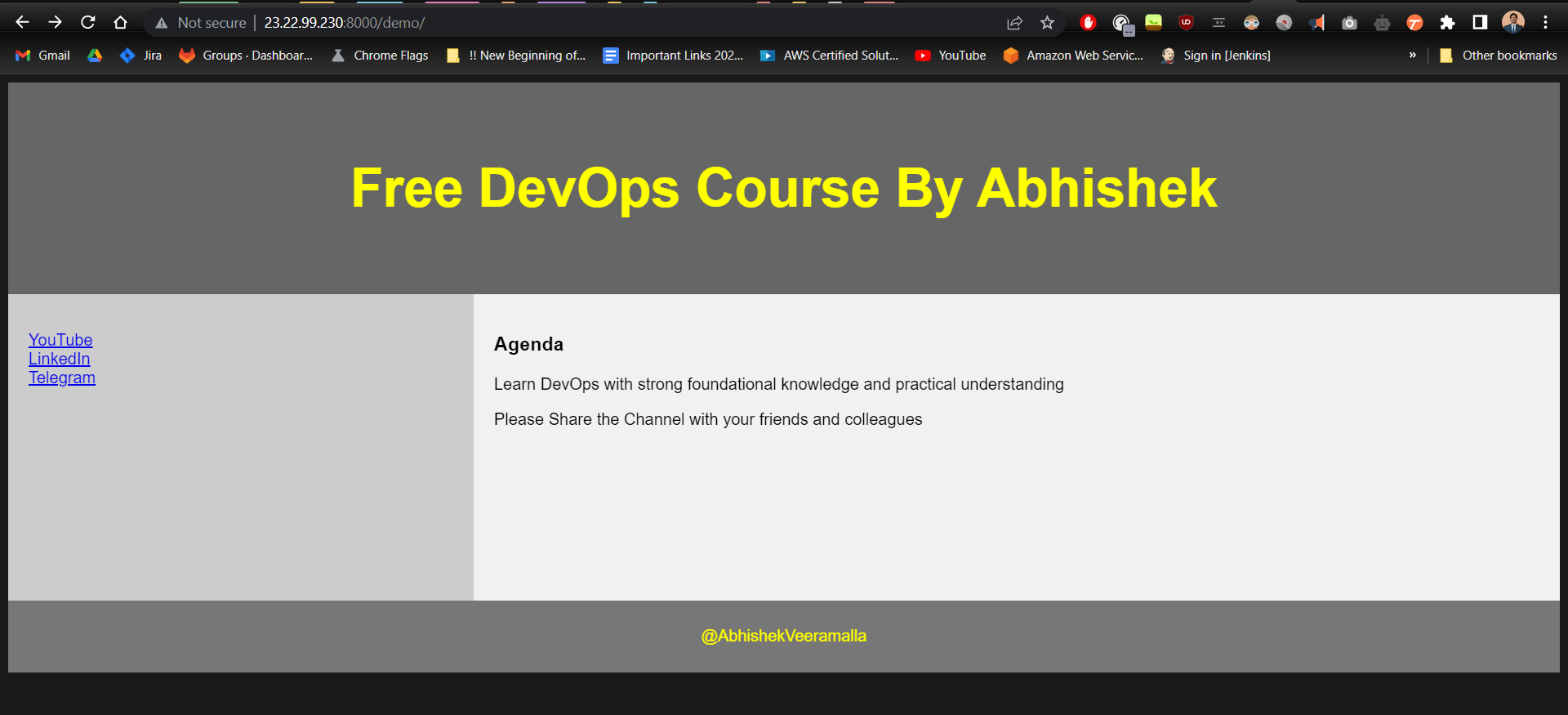
docker run -p 8000:8000 imagename
Output:
📍 Common mistakes
Some common mistakes that developers make while creating Django applications and containerizing them include:
Forgetting to add dependencies to the requirements file
Not using a virtual environment
Using hardcoded credentials in the code
Not handling exceptions properly
Not testing the application thoroughly
Not optimizing the application for performance
📍 CMD vs EntryPoint
Both CMD and EntryPoint is used in Dockerfiles to specify the command that should be executed when the container starts. The main difference between CMD and EntryPoint is that CMD specifies the command to be executed with any arguments passed to the Docker container, while EntryPoint specifies the command to be executed without any arguments passed to the Docker container. In short, we can modify the parameters of CMD during the Docker execution whereas ENRTYPOINT's parameters, values can't be change during the execution.
For example, consider the following Dockerfile:
FROM python:3.9

WORKDIR /app

COPY requirements.txt .

RUN pip install --no-cache-dir -r requirements.txt

COPY . .

CMD ["python", "manage.py", "runserver", "0.0.0.0:8000"]
In this example, CMD is used to specify the command to start the Django server with the arguments "0.0.0.0:8000". If you want to override the CMD and pass different arguments to the command, you can do so using the docker run command.
On the other hand, if you use EntryPoint instead of CMD, the command specified in EntryPoint will always be executed without any arguments passed to the container. You can use CMD to specify default arguments for the EntryPoint command.
📍 Is programming required for DevOps?
Programming skills are not necessarily required for DevOps, but they can be very helpful. DevOps is a combination of development, operations, and automation, and involves working with various tools and technologies to automate and streamline the software delivery process.
Some common programming languages used in DevOps include Python, Ruby, and Go. Knowledge of these languages can help you write scripts to automate tasks, create custom tools, and build integrations between different systems.
However, programming is just one aspect of DevOps, and there are many other skills and tools that are important as well, such as version control, containerization, infrastructure as code, and continuous integration and delivery (CI/CD) pipelines. So while programming skills can be helpful, they are not the only requirement for a successful career in DevOps.
📍 Conclusion:
In this blog, we learned how to create a Django application, containerize it using Docker, and avoid common mistakes. We also discussed the differences between CMD and EntryPoint, and whether programming skills are required for DevOps. By following these best practices, you can create robust and scalable applications that can be easily deployed and managed using containerization and DevOps techniques.
📍 Resources:
I invite you to check my portfolio in case you are interested in contacting me for a project!. Prasad Suman Mohan

🔵 Don't forget to follow me also on LinkedIn: https://www.linkedin.com/in/prasa


