Day 12: KServe Architecture Deep Dive using Ingress & Gateway API approaches

👋 Hello! I'm passionate about DevOps and have over 1+ years of experience in the field. I'm proficient in a variety of cutting-edge technologies and always motivated to expand my knowledge and skills. Let's connect and grow together!
SKILLS:
🔹 Languages & Runtimes: Python, Shell Scripting, HCL, YAML 🔹 Cloud Technologies: AWS, Microsoft Azure, GCP 🔹 Infrastructure Tools: Docker, Terraform, AWS CloudFormation 🔹 Other Tools: Linux, Git and GitHub Actions, Jenkins, Jira, GitLab (beginner), Docker, AWS DevOps 🔹 Web Development: HTML, CSS, Bootstrap, Python, SQL
Job & Responsibilities:
🚀 Improved development efficiency by implementing CI/CD pipelines, resulting in a 30% reduction in deployment time on the test server. 🔒 Strengthened deployment and testing reliability by utilizing Docker containers and optimizing Dockerfile, reducing development issues on the test server by 20%. ⚙️ Automated S3 bucket log creation with Shell scripting, eliminating 100% of manual search and saving 2 hours per week. 📅 Scheduled EC2 instance start/stop using Lambda functions and Event Bridge, leading to a 25% decrease in infrastructure costs. 🔧 Utilized AWS, Linux, Python, Docker, Shell scripting, Terraform, Jenkins Pipelines, and automation to streamline workflows and improve overall system performance.
I'm very detail-oriented and possess strong written and verbal communication skills. As a high performer with a possibility mindset, I strive to solve problems using efficient approaches.
Let's Connect & Grow:
If you find my profile suitable for the role you are searching for, please feel free to reach out to me at sumanprasad9766@gmail.com.
Understanding Internal Working for Real-World MLOps
Because:
The better you understand the architecture, the easier it becomes to debug, optimize, and scale real-world ML systems.

Why Understanding KServe Architecture Matters
Most engineers can:
deploy a model
run inference
expose endpoints
But when something breaks:
model not loading
scaling not happening
endpoint not reachable
latency issues
👉 That’s when architecture knowledge becomes critical.
Two Deployment Modes in KServe
KServe supports two main networking approaches:
Ingress-based deployment (traditional)
Gateway API-based deployment (recommended)
Let’s understand both.
1 — Standard Deployment Using Kubernetes Ingress
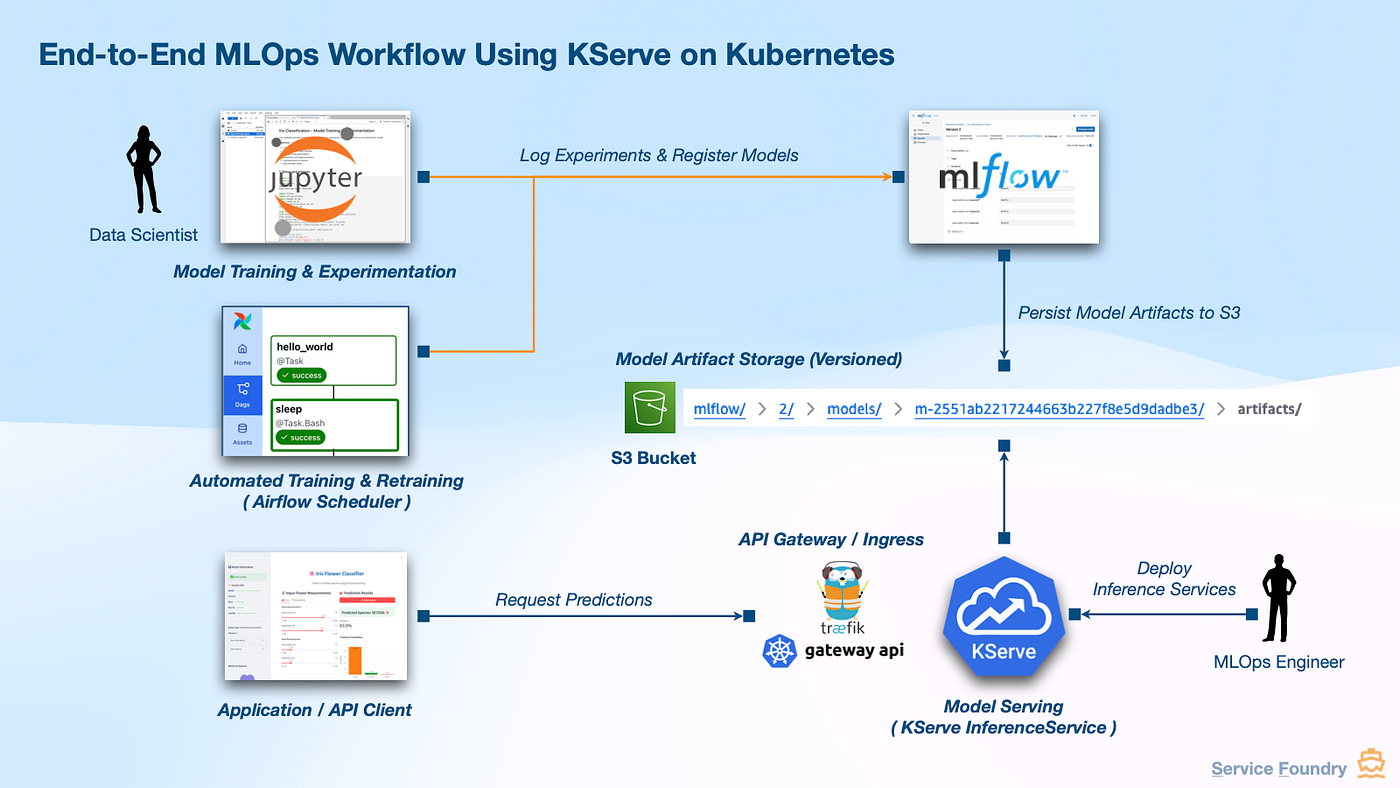
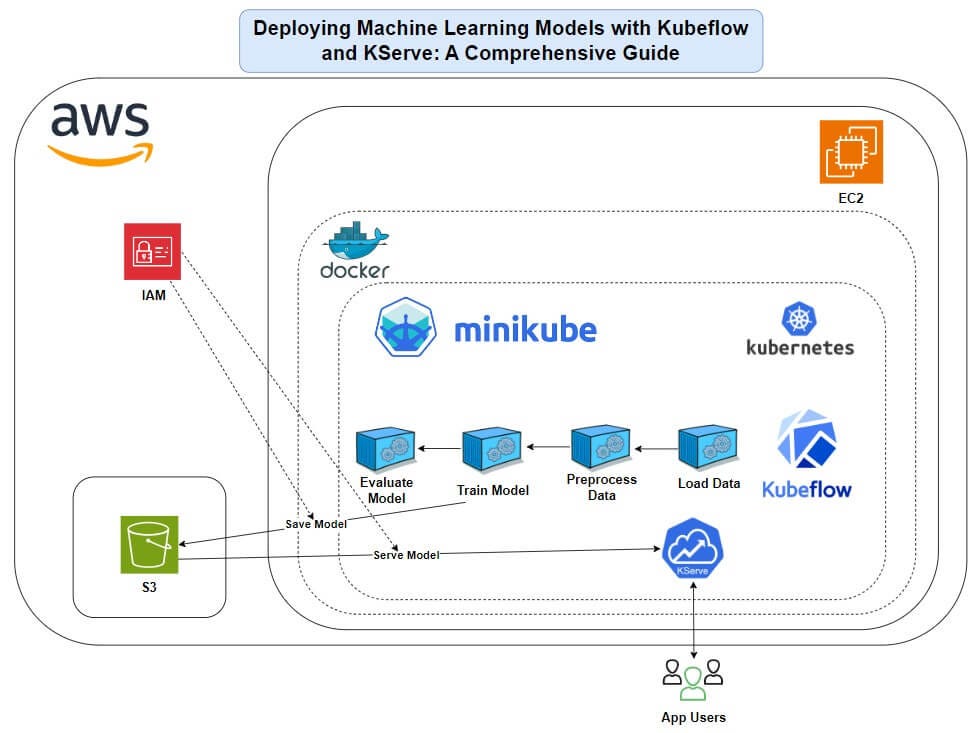
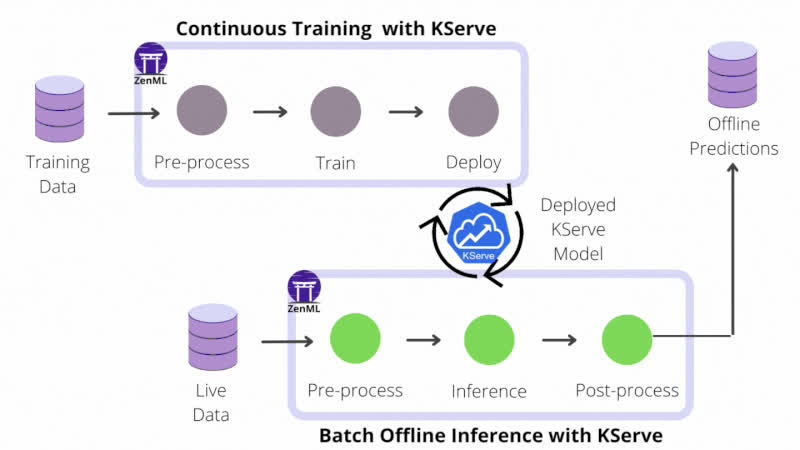
How It Works
When you create an InferenceService, KServe controller takes over.
Step-by-step flow:
- You apply:
kind: InferenceService
KServe Controller detects it
It automatically creates:
Kubernetes Deployment (model server)
Service
Ingress resource
Autoscaling components (HPA/KEDA)
- Traffic flows like this:
Client → Ingress → Service → Pod → Model Server → Prediction
Key Components Explained
KServe Controller
Watches
InferenceServiceCreates all required resources
Acts like an operator
Model Server Pod
Runs your ML model
Handles prediction requests
Loads model from storage (S3/GCS)
Autoscaling Layer
HPA → CPU/Memory-based scaling
KEDA → Event-based scaling
Storage Layer
Persistent Volume (model cache)
Avoids re-downloading model every time
Limitations of Ingress-Based Mode
This is why it is not recommended anymore:
No advanced traffic splitting
Limited protocol support
No advanced routing
Less flexibility
2 — Standard Deployment Using Gateway API (Recommended)
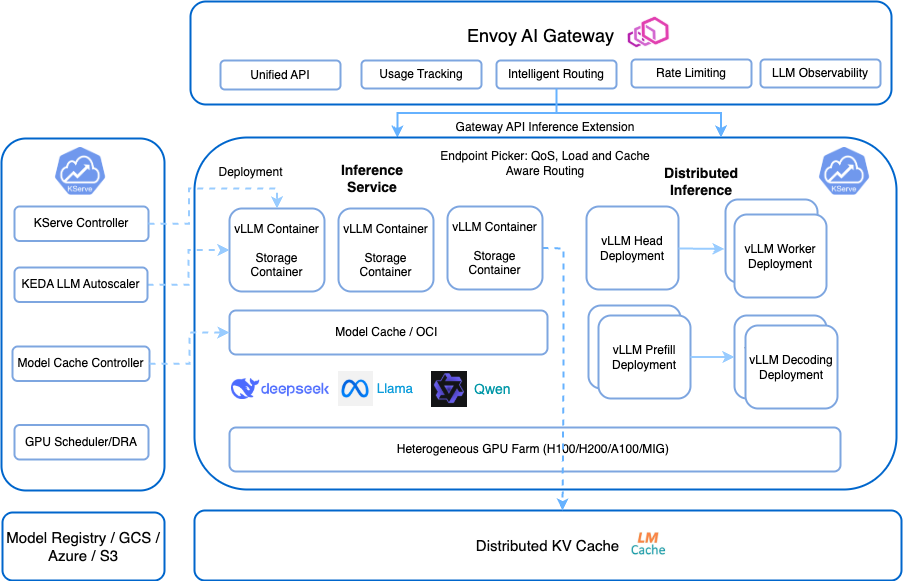
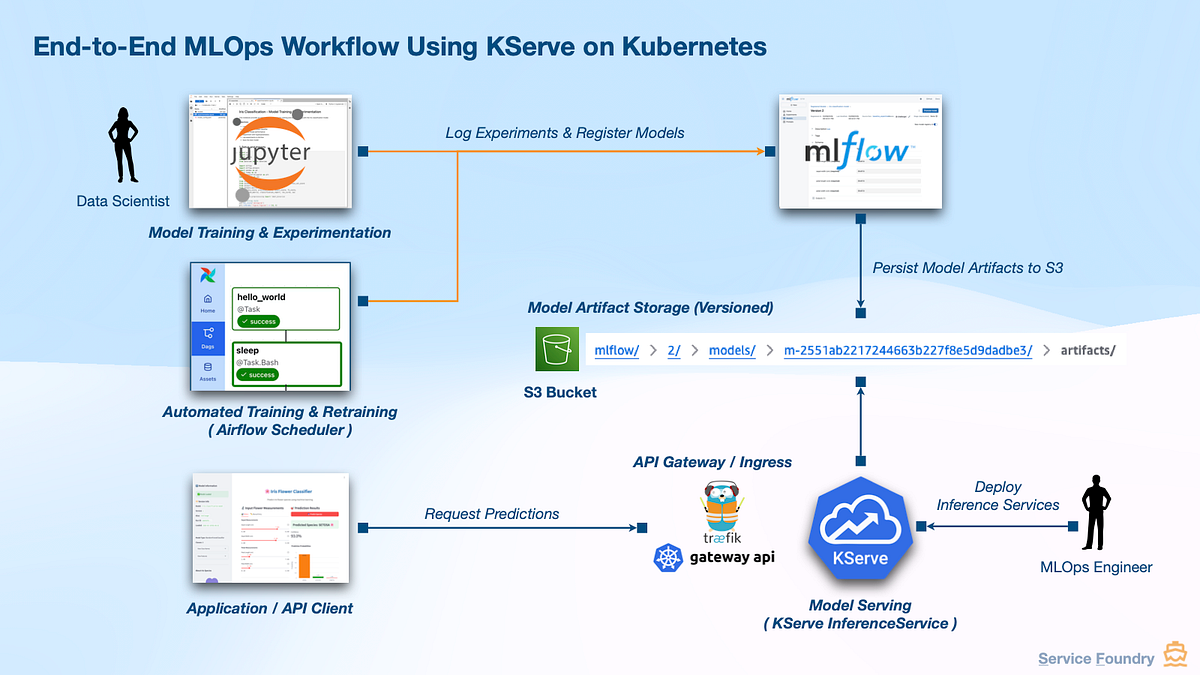
What Changes Here?
Instead of using Ingress, KServe uses:
👉 Gateway API + HTTPRoute
This is the modern Kubernetes networking standard.
Flow Explanation
Client → Gateway → HTTPRoute → Service → Pod → Model Server
Key Differences
HTTPRoute (Instead of Ingress)
Advanced routing
Better traffic control
Supports modern networking features
Gateway
Central traffic entry point
More flexible than Ingress
Supports multi-tenant setups
Why This Is Better
Supports traffic splitting (canary deployments)
Better observability
Future-proof Kubernetes standard
More control over routing
What Happens Internally When You Deploy a Model
Let’s simplify everything into a real flow.
Step 1 — You Create InferenceService
kind: InferenceService
Step 2 — KServe Controller Takes Action
It creates:
Deployment
Service
Autoscaler
Networking layer
Step 3 — Model Server Starts
Pulls model from storage
Loads into memory
Starts inference endpoint
Step 4 — Traffic Routing
Depending on mode:
Ingress → Service
OR
Gateway → HTTPRoute → Service
Step 5 — Scaling Happens Automatically
Low traffic → scale down
No traffic → scale to zero
High traffic → scale up
Real-World Example
Imagine:
You deploy a fraud detection model.
During normal hours:
10 requests/sec
2 pods running
During peak hours:
1000 requests/sec
KServe scales to 20 pods
During night:
No traffic
KServe scales to zero
👉 This is automatic. No manual scaling needed.
Key Components Summary
| Component | Responsibility |
|---|---|
| InferenceService | User-defined model deployment |
| KServe Controller | Creates and manages resources |
| Model Server Pod | Runs model and handles inference |
| Service | Internal routing |
| Ingress / Gateway | External access |
| HPA / KEDA | Autoscaling |
| Storage (PVC) | Model caching |
Ingress vs Gateway — Final Comparison
| Feature | Ingress | Gateway API |
|---|---|---|
| Routing flexibility | Limited | Advanced |
| Traffic splitting | No | Yes |
| Protocol support | Limited | Better |
| Future support | Legacy | Recommended |
| Observability | Basic | Advanced |
Key Takeaways
KServe simplifies ML deployment, but under the hood it uses Kubernetes primitives
Understanding controller behavior is critical for debugging
Gateway API is the future of KServe networking
Autoscaling is deeply integrated into KServe
Model deployment becomes declarative and standardized
Why This Matters for You
If you are:
DevOps Engineer → You understand infra → now add ML layer
MLOps Engineer → You need to debug pipelines
Platform Engineer → You design ML platforms
👉 This knowledge helps you:
troubleshoot issues faster
design better architectures
optimize performance
reduce production risks


